
You access the API via the ISS API documentation:
| Name | Description | URL |
|---|---|---|
| BASE_URL | Base URL for the API | https://solutions-suite.iceye.com/api/natcat |
| TOKEN_ENDPOINT_URL | URL to query for access tokens | https://iceye.eu.auth0.com/oauth/token |
| API_IDENTIFIER | Audience for the token endpoint | https://solutions-suite.iceye.com |
Authentication
Every API request must contain a valid access token in the authorization header:
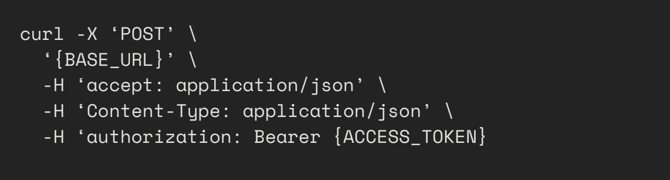
The APIs utilize Client Credentials Flow to grant access tokens. To obtain an access token, make a request to the token endpoint with your client ID and client secret:

Note: The above examples are for Unix systems, on windows you will need to replace the line continuation character “\” with “^”
On success, the response will be a JSON object containing the access token and for how many seconds the token is valid for.

You do not need to fetch a new access token until the previous access token has expired; many HTTP request libraries handle token refresh (with Client Credentials Flow) automatically.